
TL;DR — The direct answer
GoHighLevel A2P 10DLC registration is the brand and campaign registration US carriers require before business texts from a local number are reliably delivered. GHL Ops prepares and files it inside your client's sub-account under your agency's brand, works through any rejection, and links the number. Carriers make the final decision; nobody can guarantee approval.
Every text-based service you sell in GoHighLevel (GHL, HighLevel) depends on A2P 10DLC: appointment reminders, missed call text back, review requests, follow-up sequences. When registration is missing or rejected, those messages are filtered or never sent, and the client blames the automation. Getting the registration right is the unglamorous work underneath all of it.
What is A2P 10DLC and why does GoHighLevel need it?
A2P 10DLC is the carrier registration framework for business texts sent to US phones from standard 10-digit local numbers. It has two parts: a brand, which identifies the business sending, and a campaign, which describes what it sends and how people opted in. HighLevel submits both; the carriers decide.
HighLevel's own explainer, What is A2P 10DLC: brand and campaign registration, states that carriers and their registration partners make the final approval or rejection decision.
The Campaign Registry and your agency's role
Registrations go to The Campaign Registry, the industry registry behind 10DLC. Its site says brands cannot register with it directly and must work through a registered messaging provider — in GoHighLevel's case, through the Trust Center in the client's sub-account (The Campaign Registry). Someone at your agency has to prepare that submission for every client; that is the part we take on.
What stops working without it
Anything that texts US numbers from a local number: calendar reminders, missed call text back, review requests and the follow-up in your automations.
How does brand registration work in GoHighLevel?
The brand comes first: the campaign cannot be registered until the brand is approved. A business with an EIN, tax ID or another accepted registration number registers a Standard Brand, and the details must match the official records exactly, including the legal business name.
Legal name and registration number
HighLevel's explainer says US businesses should use the legal business name and EIN exactly as they appear on official records, and notes that the matching details for a newly issued EIN can take time to reach the verification systems. We check these before filing, because a mismatch is one of the simplest reasons for a rejection.
Website and name consistency
The brand needs a live, publicly accessible website that clearly identifies the business and matches the registration, with accessible Privacy Policy and Terms pages. HighLevel lists DBA inconsistencies as a cause of rejection: reviewers check that the same business name appears across the submission and the opt-in evidence.
How does campaign registration work?
The campaign describes what the client will text and how people agreed to receive it. In GoHighLevel you choose a setup method for collecting consent, pick the use case, and supply sample messages. Everything in the campaign has to agree with the website and the opt-in form the reviewers will look at.
Chat Widget setup or Manual setup
HighLevel's A2P campaign registration guide describes two routes. Chat Widget setup, the default, uses a HighLevel-generated opt-in widget. Manual setup is for consent collected another way: existing website forms, paper forms, lead forms, QR codes, kiosks or verbal consent.
Marketing, informational or mixed
The use case should describe what the client really sends. HighLevel advises choosing Mixed only when one messaging programme genuinely includes both promotional and informational messages.
What opt-in language and sample messages pass review?
Consent that is clear and provable, and sample messages that look like what the client will really send. Most campaign rejections come back to one of these two, so we write both to HighLevel's published rules rather than from a template.
Consent form rules
- The Chat Widget should be the only form on the submitted page collecting SMS consent; do not place it on a page that has another SMS opt-in form.
- For Mixed use, the widget shows two consent checkboxes, and neither is pre-selected.
Sample message rules
- Each sample identifies the sender and matches the selected use case.
- No custom fields or values in the samples — write them as the message a customer would actually receive.
Why was my GoHighLevel A2P campaign rejected?
Because something in the submission did not match the rules or the evidence: a name that differs between the brand and the website, an opt-in that cannot be verified, missing consent wording, unrealistic samples, or website and privacy-policy problems. HighLevel shows the exact reasons, so the first step is always to read them.
Where to find the exact reason
In the sub-account, go to Settings, Phone System, Trust Center, open the rejected campaign and select "View required fixes" for each reason. HighLevel's guide says to review every reason and correct all applicable issues before taking the next step.
Edit and resubmit, or create a new campaign
Fix and resubmit where the fields allow it. Some fields, such as the use case or certain opt-in details, are locked on resubmission, and then a new campaign may be needed. HighLevel support cannot override a carrier's decision, though it can help with an appeal if an eligible rejection looks wrong.
My campaign is approved, but texts are not sending. Why?
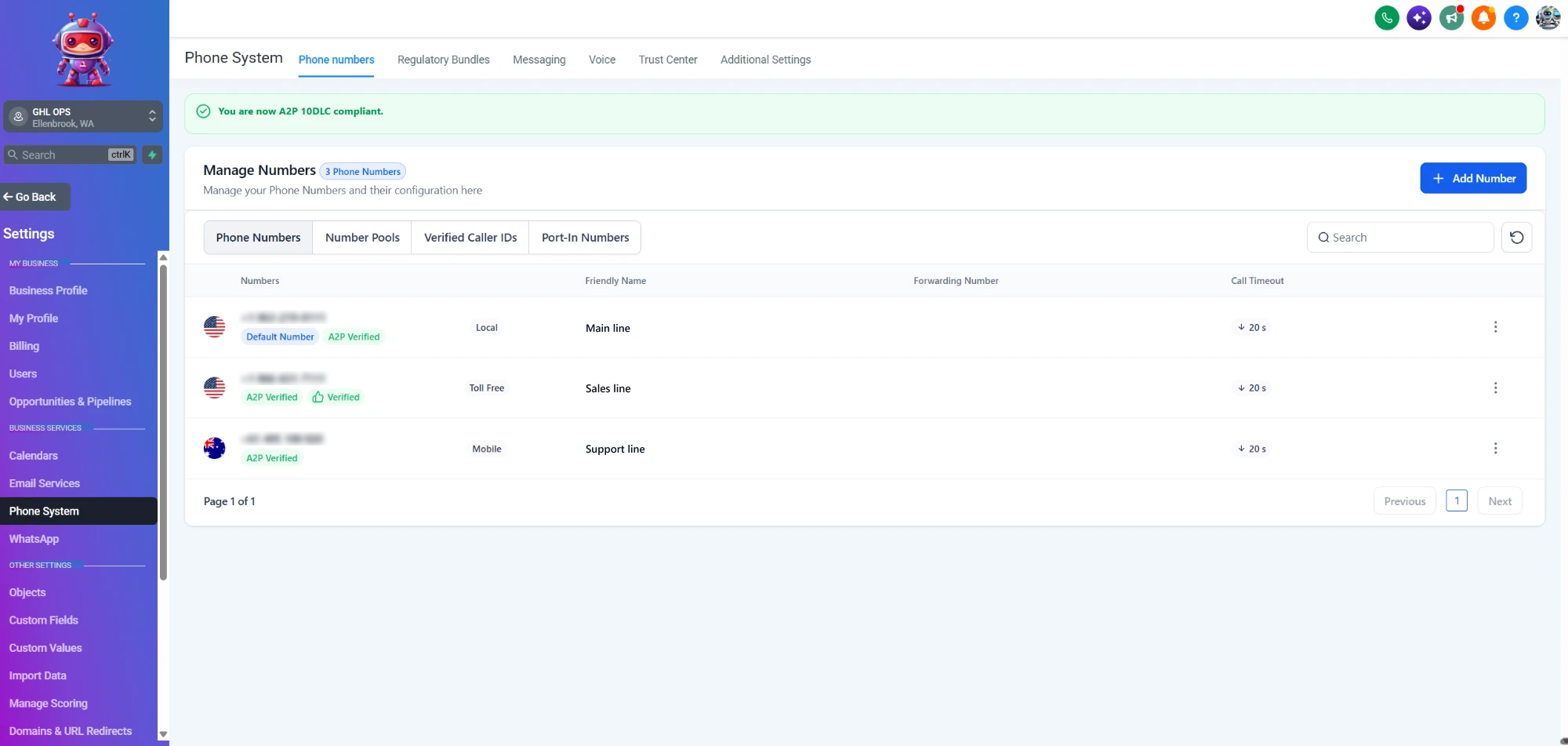
Approved is not the same as connected. The phone number must be linked to the approved campaign and show the "A2P Verified" label under Settings, Phone System, Phone Numbers. If it does not, the number needs linking to the campaign — one of the checks we run before calling a registration finished.
Is toll-free messaging an alternative to A2P 10DLC?
It is a separate route. Toll-free numbers use their own verification process and do not rely on A2P 10DLC brand and campaign registration, according to HighLevel's campaign guide. Which route suits a client depends on how they text; we will tell you which one fits before filing anything.
Clients' texts blocked or stuck waiting on A2P?
Book a free 30-minute strategy call. Tell us where each client's registration stands and we will map what needs filing or fixing.
Book a Free Strategy CallWhat do I get when GHL Ops files it for my agency?
The brand and campaign prepared and filed in your client's sub-account, the website and opt-in fixes specified before submission, consent wording and samples written to the rules, any rejection worked through from the required-fix list, the number linked and a test text sent. All under your brand.
- Included in your plan: A2P work draws from your monthly GHL Ops hour block — Starter $480/month for 40 hours, Growth $1,000/month for 100 hours, Scale $1,440/month for 160 hours. No setup fees, no contracts.
- Registration fees are separate: carrier and registration fees are charged by HighLevel, which says A2P fees are passed through without a HighLevel markup.
- Built in your account: you add us as team members with permissions you control, and you own 100% of the work.
- White-label: we never contact your clients directly, unless you ask us to run onboarding or help them with tasks — then we do it as your team, under your brand.
A2P sits under every messaging service in our GoHighLevel setup services. For email, our guide to GoHighLevel deliverability and A2P mistakes covers SPF, DKIM and DMARC.