
TL;DR — The direct answer
A GoHighLevel pipeline setup defines your client's sales stages, creates opportunities automatically from forms and bookings, and builds the workflows that move deals between stages and chase stale ones. GHL Ops builds it inside the client's sub-account under your agency's brand and hands you a written guide to every stage.
Ask most agency clients where every lead is right now and they cannot tell you. The pipeline in their GoHighLevel (GHL, HighLevel) account is either the default one nobody renamed, or a long list of stages nobody moves cards through. A pipeline only works when the stages mirror the real sales process and the movement between them happens on its own.
What does a GoHighLevel pipeline setup include?
It includes the pipeline itself, its stages, the opportunity fields the client actually needs, the rules that create opportunities automatically, and the workflows that move them and follow up. We build all of it in the client's sub-account, test it with real records, and document what each stage means and who owns it.
Pipelines, stages and opportunity fields
In HighLevel, a pipeline is created under Opportunities, then Pipelines. Pipeline names must be unique in a sub-account, and stage names must be unique within a pipeline, according to HighLevel's step-by-step guide to creating pipelines.
Won and Lost
The same guide says Won and Lost are added automatically, so you do not create them as stages. We decide with you what happens at each: a won deal can start client onboarding, and a lost deal can record a reason and move into long-term nurture.

How many stages should a GoHighLevel pipeline have?
As few as the client's real sales process needs. HighLevel does not state a maximum, and its overview of pipelines recommends keeping only the stages that matter. Each stage should mark a real change — a booking, a showed call, a proposal sent — not a mood.
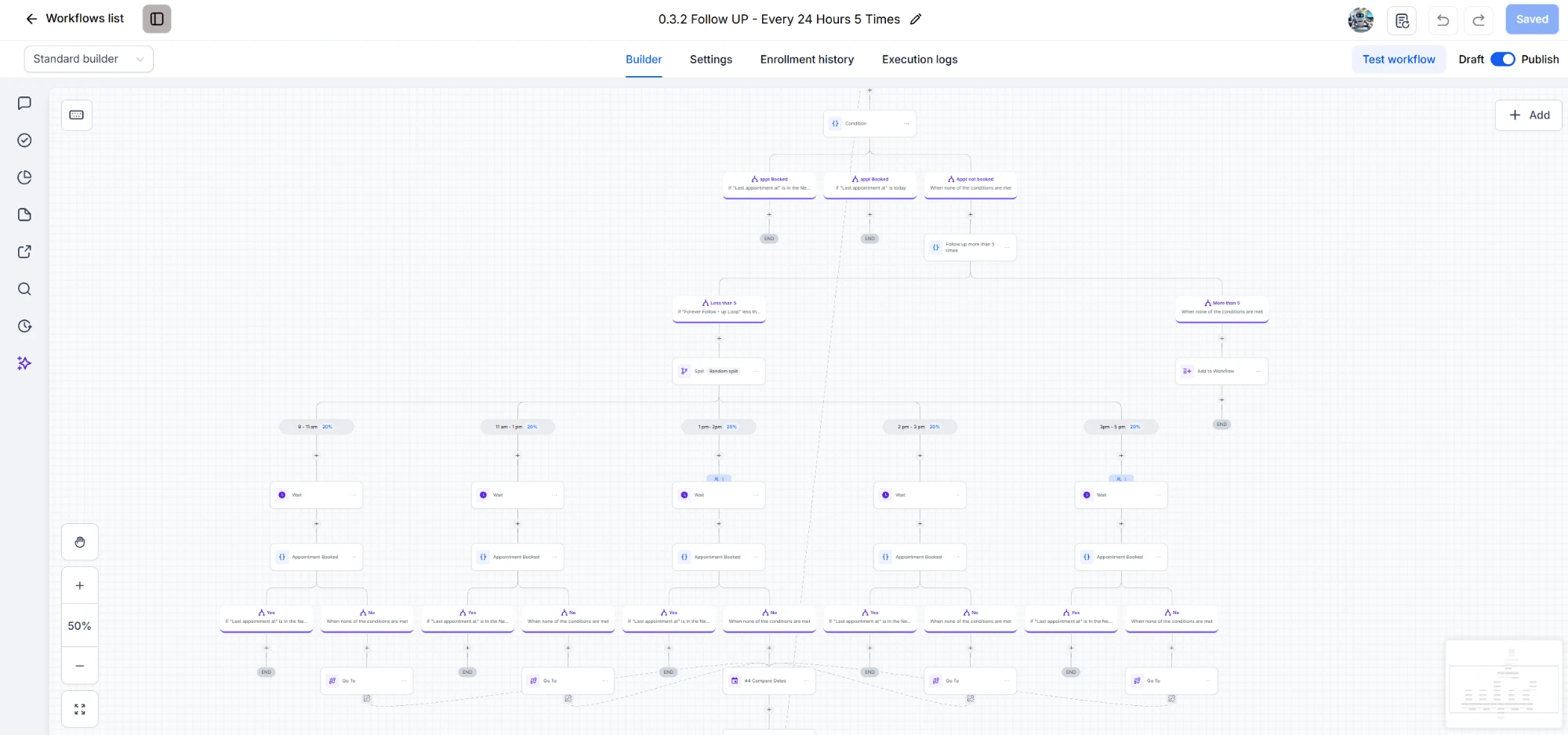
The pipeline above has six working stages because that is how the sales process runs: a lead comes in, books a call, reschedules or no-shows, shows up, or needs follow-up. A home-services client might need fewer; a high-ticket offer with proposals and contracts might need a couple more.
How do opportunities get created automatically?
With a workflow. The Create Opportunity action creates a deal with the pipeline, stage, name, source and status you choose, so a form submission, a booking or a funnel opt-in can drop a new card into the right stage without anyone typing it in.
The actions and triggers are listed in HighLevel's automating opportunities article. For bookings we pair this with the calendar: when an appointment is booked, the opportunity moves to "booked call"; when it is marked showed or no-show, it moves again. That calendar side is covered in GoHighLevel calendar setup.
What is the difference between pipelines and workflows?
A pipeline shows where each deal is; a workflow does something about it. The pipeline is the board of stages and opportunities. Workflows are the automations that create opportunities, move them between stages, send the follow-up and alert a person. A good setup needs both, designed together.
Which automations should run at each stage?
The ones that save someone remembering to do it. HighLevel gives you triggers for when an opportunity is created, when it changes stage, when its status changes, and when it has gone stale, and we wire each to a specific job for the client.
Stage changed
The Pipeline Stage Changed trigger starts a workflow when a deal moves to a different stage — for example, sending the proposal email when a deal reaches "proposal", or creating a task for the closer.
Stale opportunities
The Stale Opportunities trigger finds deals with no change for a set number of days. That is how leads that go quiet get followed up automatically instead of being forgotten.
Status changed to Won or Lost
The Opportunity Status Changed trigger handles the ending: won deals start onboarding, lost deals get tagged with a reason and move to nurture. One detail worth knowing: opportunity fields can only be used in an If/Else branch when the workflow starts from an opportunity-based trigger.
Can I reuse one pipeline across all my clients?
Yes, with a snapshot. HighLevel's snapshots overview says a snapshot copies pipelines along with workflows, calendars, funnels and forms, but not contacts, appointments or conversations, and that changes do not reach existing copies until the snapshot is refreshed.
So we build one tested pipeline for a niche, save it in a snapshot, and deploy it to each new client's sub-account — then adjust the stages that genuinely differ. Our guide to GoHighLevel snapshots covers when to buy one and when to build your own.
What happens to deals when a stage is deleted or changed?
Nothing is lost. When you delete a stage in HighLevel, you choose a destination stage first, and all opportunities in the deleted stage move there automatically. We still review the workflows that reference a stage before changing it, so no automation is left pointing at a stage that no longer exists.
Do your clients know where every lead is?
Book a free 30-minute strategy call. Tell us how your clients sell and we will map the pipeline and the automations that keep it moving.
Book a Free Strategy CallWhat do I get when GHL Ops builds it for my agency?
A pipeline your client's team can actually run: stages that match the sales process, opportunities created automatically, workflows that move deals and chase stale ones, Won and Lost handling, and a written guide to what each stage means. It is built under your brand, documented, and yours to keep.
- Built in your account: you add us as team members with permissions you control, and you own 100% of the work from the moment it is delivered.
- White-label: we never contact your clients directly, unless you ask us to run onboarding or help them with tasks — then we do it as your team, under your brand.
- Priced as hours, not projects: pipeline work draws from your monthly hour block — Starter $480/month for 40 hours, Growth $1,000/month for 100 hours, Scale $1,440/month for 160 hours. No setup fees, no contracts.
- Fast start: your onboarding call is within 24 to 72 hours of checkout, and work starts right after it.
Pipelines are one part of our GoHighLevel setup services. Bookings feed them through calendar setup, and the follow-up runs through workflow automation.